Harnessing the Power of Live Streaming for Successful Virtual Conferences and Global Engagement
- Memo Issa

- Mar 24
- 3 min read

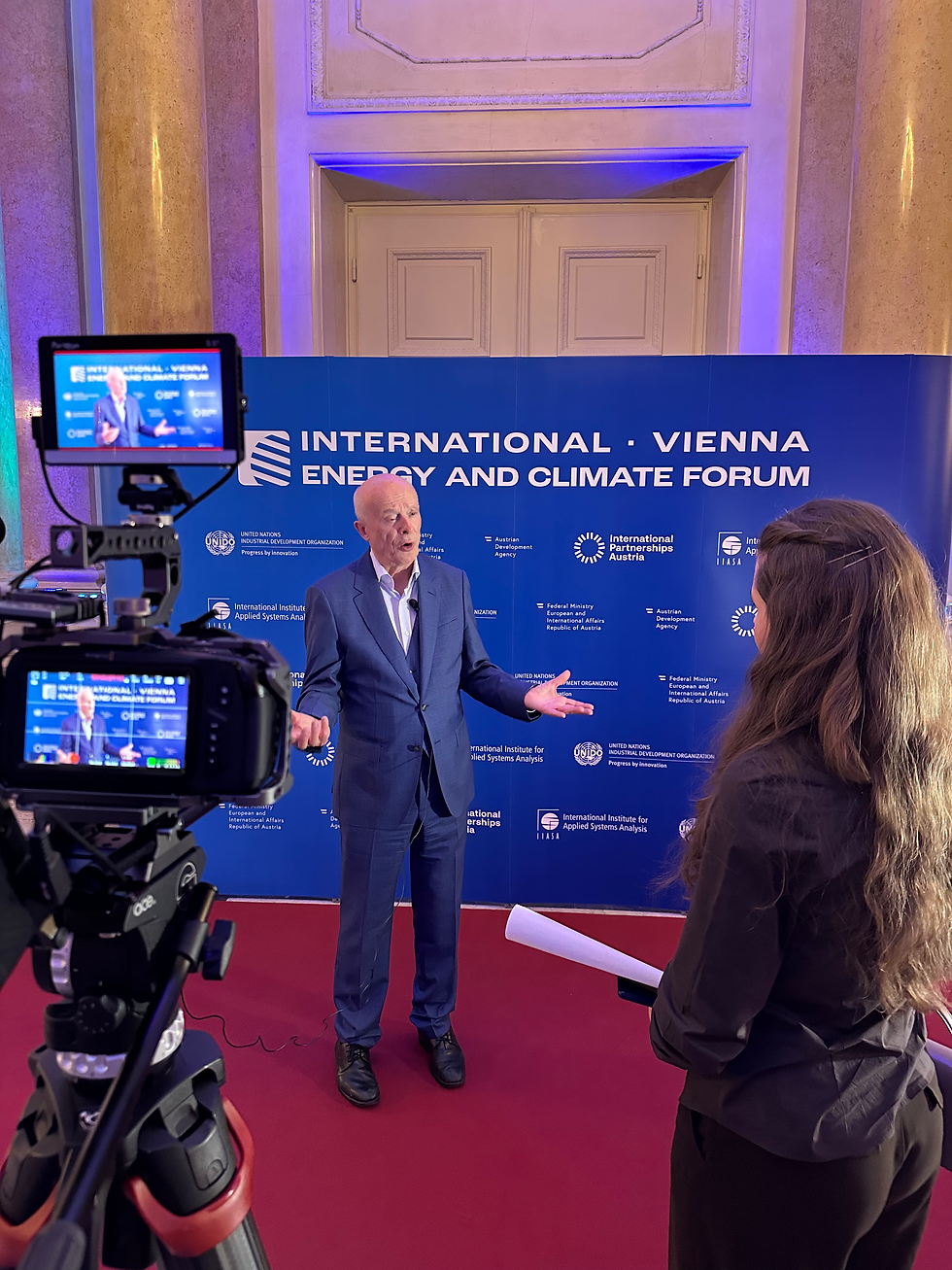
In today’s connected world, large conferences and events face a new challenge: how to reach a global audience without the limitations of physical space. Live streaming and virtual events have become essential tools for big institutions and organizations to expand their reach, engage participants worldwide, and deliver content seamlessly. This blog explores why live streaming matters for major conferences, how it works, and what makes it a powerful solution for global engagement.
Why Live Streaming Matters for Big Conferences
Large conferences often attract thousands of attendees, including speakers, exhibitors, and participants from different countries. Hosting everyone on-site can be costly, complicated, and sometimes impossible due to travel restrictions or health concerns. Live streaming solves these problems by:
Expanding audience reach: Anyone with an internet connection can join, regardless of location.
Increasing accessibility: Participants who cannot travel can still attend sessions, ask questions, and network.
Reducing costs: Organizers save on venue size, travel, accommodation, and catering.
Enhancing flexibility: Content can be live, pre-recorded, or a mix, allowing for smooth scheduling.
Supporting sustainability: Less travel means a smaller carbon footprint.
For big clients, these benefits translate into higher attendance, better engagement, and a stronger global presence.
What Live Streaming Includes in Conferences
A successful live-streamed conference is more than just broadcasting a speaker’s video. It involves multiple components working together to create an immersive experience:
Slides and presentations: Sharing slides in sync with speeches helps viewers follow along and retain information.
Speeches and panels: Live video of keynote speakers, panel discussions, and interviews keeps the event dynamic.
Pre-recorded material: Videos, demos, or tutorials can be played to ensure quality and timing.
Interactive sessions: Zoom calls or other video conferencing tools allow remote participants to ask questions, join workshops, or network.
Real-time chat and Q&A: Chat features enable audience interaction, making the event more engaging.
Multilingual support: Subtitles or simultaneous interpretation can broaden accessibility.
Combining these elements creates a rich, interactive environment that mimics the energy of an in-person event.
How Live Streaming Works for Large Institutions
Big institutions often have complex needs for their conferences, including multiple tracks, high production quality, and secure access. Here’s how live streaming can meet those demands:
Professional production teams manage cameras, sound, and switching between live and pre-recorded content.
Reliable streaming platforms handle thousands of simultaneous viewers without lag or interruptions.
Customizable interfaces allow branding, agenda displays, and personalized schedules.
Secure access controls protect sensitive content and restrict viewing to registered participants.
Analytics and reporting provide data on attendance, engagement, and popular sessions for future planning.
For example, a university hosting an international research conference can stream keynote speeches live, share recorded workshops, and enable remote Q&A sessions, all while tracking participant engagement.
Benefits for Participants and Organizers
Live streaming offers clear advantages for both attendees and event organizers:
For Participants
Convenience: Attend from home or office without travel.
Flexibility: Watch sessions live or on-demand.
Interaction: Engage with speakers and peers through chat and video calls.
Access to more content: Explore multiple tracks without physical constraints.
For Organizers
Wider reach: Attract a global audience beyond local attendees.
Cost savings: Lower expenses on venue and logistics.
Data insights: Understand audience preferences and improve future events.
Brand visibility: Showcase expertise to a larger community.
Practical Tips for Hosting a Successful Live-Streamed Conference
To make the most of live streaming, organizers should consider these best practices:
Plan technical setup early: Test internet connections, cameras, and streaming platforms well before the event.
Prepare speakers: Train presenters on how to engage a virtual audience and use the technology.
Mix live and pre-recorded content: This balances spontaneity with quality control.
Encourage interaction: Use polls, Q&A, and chat to keep participants involved.
Provide clear instructions: Help attendees navigate the platform and access sessions easily.
Record all sessions: Offer on-demand viewing for those in different time zones.
Examples of Successful Live-Streamed Conferences
Several large conferences have embraced live streaming with great results:
TED Conferences stream talks worldwide, allowing millions to watch inspiring presentations.
The World Economic Forum offers live coverage of panels and discussions, reaching a global audience.
Academic symposiums often use hybrid models, combining on-site and virtual attendance to maximize participation.
These examples show how live streaming can elevate the impact of major events.
The Future of Conferences Is Hybrid and Virtual
As technology advances, live streaming will continue to evolve, offering richer experiences with virtual reality, AI-driven networking, and more personalized content. Big institutions that adopt these tools will stay connected with their audiences, no matter where they are.
Live streaming is not just a temporary fix; it is a powerful way to build community, share knowledge, and create memorable events on a global scale. Organizations that embrace this approach will find new opportunities to grow and engage.


Comments